
There is a good chance you have heard of Mantis, and you may even have some of their training equipment. I’ve been using MANTIS products for years and love them. Their newer products, like the Titan X or Blackbeard, are some of the best training solutions I’ve ever used.
Dryfire training at home does not replace training on the range with live ammo, but it sure does come close. Supplementing some of your training with Mantis products to save time and money (ammo and range money) is just smart.
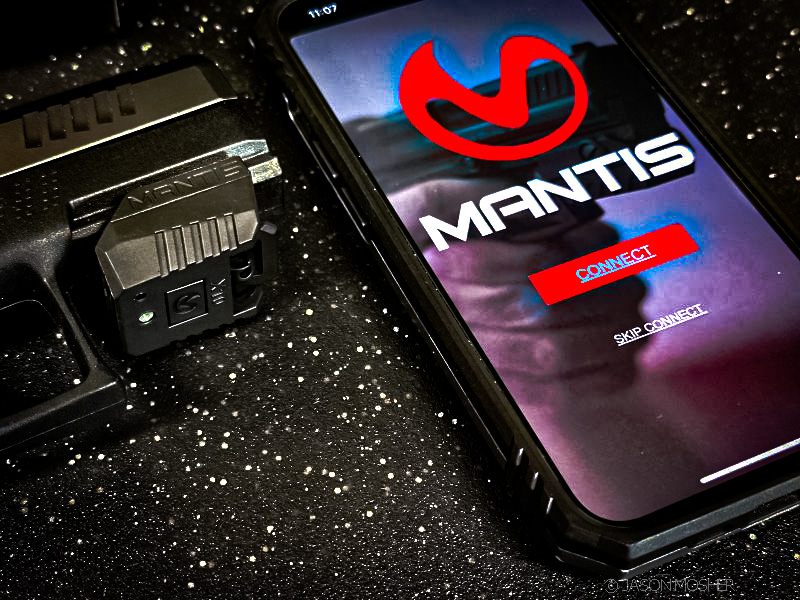
And now, Mantis has released multiple new features of their MantisX app, which make your training experience even better. This massive update to their app ecosystem bridges the gap between their primary platforms, bringing the best of both worlds into a single interface.
Now you won’t need to choose between analyzing your movement and seeing where your shots land. Here is a look at the newest features.
The New Shot Placement Feature
The most significant update (in my opinion) is the addition of Shot Placement directly within the MantisX app. Previously, the app focused solely on the physics of your movement. It tracked your grip, trigger press, and muzzle steadiness. Those things are extremely helpful to improving your shooting, but you didn’t know exactly where the laser hit the target.

With this update, you can activate your phone’s camera within a MantisX session. The app now maps your physical hits. You can see your literal grouping alongside your movement data.
When you finish a drill, you can swipe to the Shot Placement tab. Here, the app shows exactly where each shot landed. You can then tap a specific shot to see the corresponding movement trace.
Setting up Shot Placement in the app
To set this up, you must use a Mantis Laser Academy Target. These can be purchased for just a few dollars on their site, but guess what? You can also download and print their Laser Academy targets for free. Just select the target(s) you want to use and hit print.
Next, tape the target to the wall in a place you want to use as a “range.” It doesn’t really matter where you put it because you are only shooting a laser at it. Once this is done, place your phone in a tripod, facing the target.
Within the app, click on the camera icon. Your camera will open and search for a target. When it recognizes the Mantis target, a blue box will show up around it. Press the “confirm” button at the bottom of the screen.

Now you can run any drill within the app, and it will track your “hits” on the target. After running the drill, you still have all the same data as before, but now you can see every shot you fired, just like on a real target.
Bill Drill for Titan X
For those using the Titan X or Blackbeard X, Mantis has introduced the official Bill Drill. This is a classic speed drill consisting of six shots as fast as possible. Since the Titan X has an auto-resetting trigger, this drill is extremely beneficial for increasing your accuracy over speed.
The app doesn’t just give you a single score for the string either. It tracks your split times between every shot. It also monitors your movement recovery. You can see a velocity heat map of your muzzle. This shows if you are over-traveling after the shot or getting back to the center quickly. This level of data was previously only available in live-fire settings.
I use the Titan X more than anything else. Because it’s so easy to pick up and train with, I use it for about 10 minutes every day, regardless of when I go to the range.
Holster Draw Analysis: Multiple Shots
Another feature updated in the Mantis App is the Holster Draw Analysis. In the past, this feature only tracked the draw to the first shot. The new update allows for multiple shots during the draw sequence.
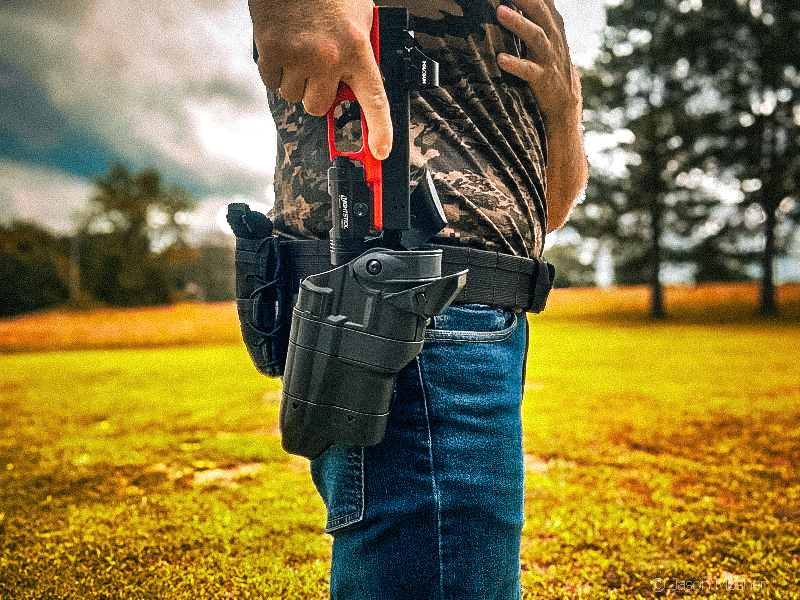
Now, you can draw the Titan X from your Safariland holster and fire a string of three to five shots. The app still breaks down your draw into the five classic phases: Grip, Pull, Horizontal, Target, and Shot. But now it transitions into analyzing every subsequent shot. This helps you diagnose if your grip is shifting during high-speed strings from the holster.
Advanced Reload Drills
Reloading drills are some of my favorites. I mean, we all have to try and be as efficient as John Wick, right? Mantis has added specific reload-based drills like 1R1 and El Presidente. These are made to work with the Titan X’s weighted magazines. You can now also set a digital magazine capacity in the app settings.
If you set your capacity to 15 rounds, the app stops registering shots at that count. This forces you to perform a physical reload to continue the drill. The app tracks your reload speed as its own specific metric. This turns a simple trigger-press tool into a full-scale training simulator. It connects the gap between basic fundamentals and real-world handling.
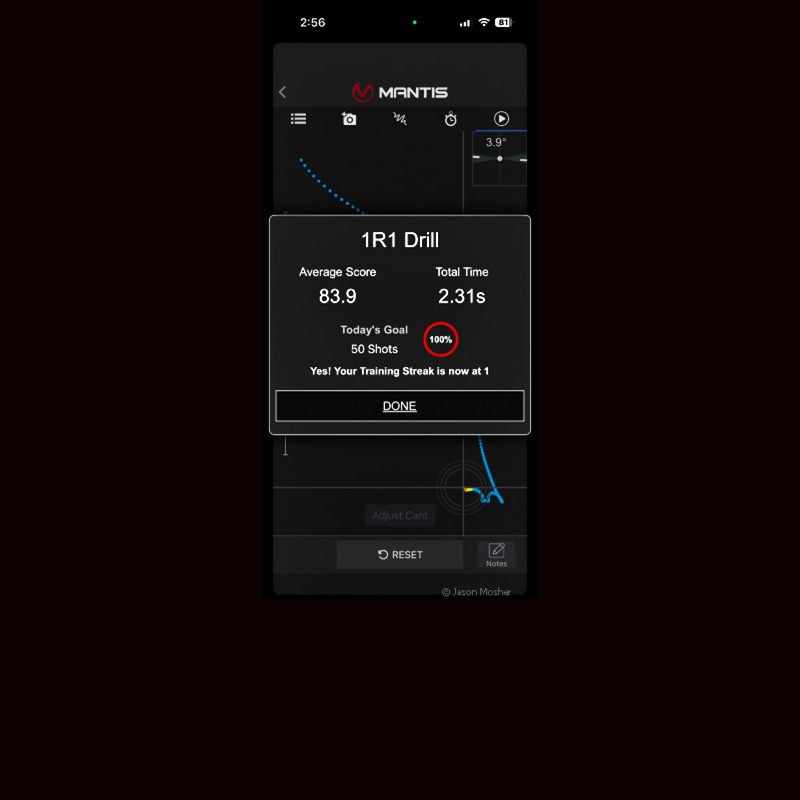
On the R1R drill, you fire one shot on the beep, reload, and fire one shot again. This is a great training drill that focuses specifically on reloading. After the drill, the app will tell you how long your magazine change was and show you where your shot placement was.
Other updates within the MantisX app
Audio Coaching and Voice Feedback
Training at home often means you can’t look at your phone screen constantly. Mantis addressed this by updating the Audio Coaching features. The app now provides real-time voice feedback after every shot or string.
Instead of just hearing a beep, the app calls out your score. It will also identify specific errors like “Too Much Finger” or “Milking the Grip” by placing links at the bottom of the screen that take you to images so you can see what you did wrong.
Decision Drills and Cognitive Load
Mantis has expanded the Decision Drills section to add cognitive load to your practice. These drills use your phone screen to show different shapes, colors, or numbers. You are only supposed to “fire” if the criteria are met.
For example, the app might tell you to only shoot red triangles. If a blue square pops up, you have to hold your fire. This forces you to process information before pulling the trigger. It almost feels like there is too much information on some of the screens to process. But once I started using them, I realized how helpful it is to force your brain to analyze that much info before making a decision.
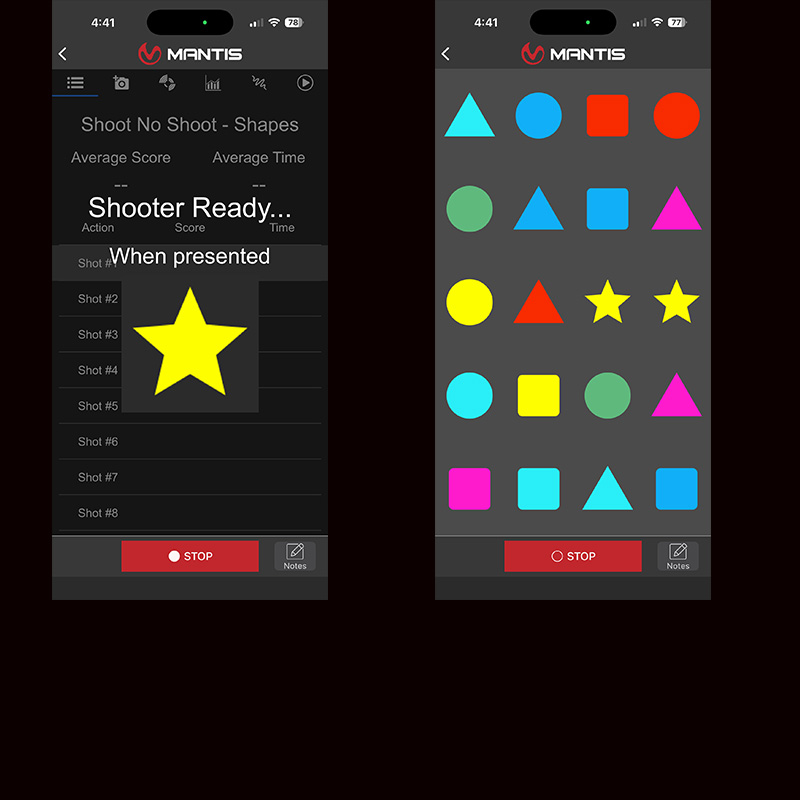
In real life, you won’t be looking for a specific shape and color out of a screen full of shapes. But you will be trying to analyze some important, specific facts. Like what is in their hands, and what are they doing with the weapon in their hands? This app trains your brain to process information before firing.
Historical Data and Trends
The History Tab has been redesigned to better handle these complex new drills. You can now filter your history by specific firearms, like your Titan X, or by drill type. This makes it easier to spot long-term trends.
You can compare your holster draw speeds from last month to today. You can also see if your average trigger score is improving during high-speed drills. Seeing this data in charts and graphs provides some great feedback. It also helps you see how much your training is improving.
Why This Matters for Your Training
The primary goal of any training aid is to build muscle memory. Without feedback, it’s possible for dry fire drills to reinforce bad habits. You might think you are holding steady, but the sensor data doesn’t lie.
By combining shot placement with movement coaching, Mantis has removed the guesswork. You get the benefit of seeing your hits and the technical benefit of analyzing your mechanics. It makes every minute of practice more efficient. You aren’t just pulling a trigger; you are collecting actionable data to make yourself a better shooter.
We all should want to improve our skills. Mantis training systems can help you do that, even when you can’t make it to the range.